



Setting Up AI Receptionists That Handle Customer Calls 24/7
 Eldad Gaih7 May 202610 Mins read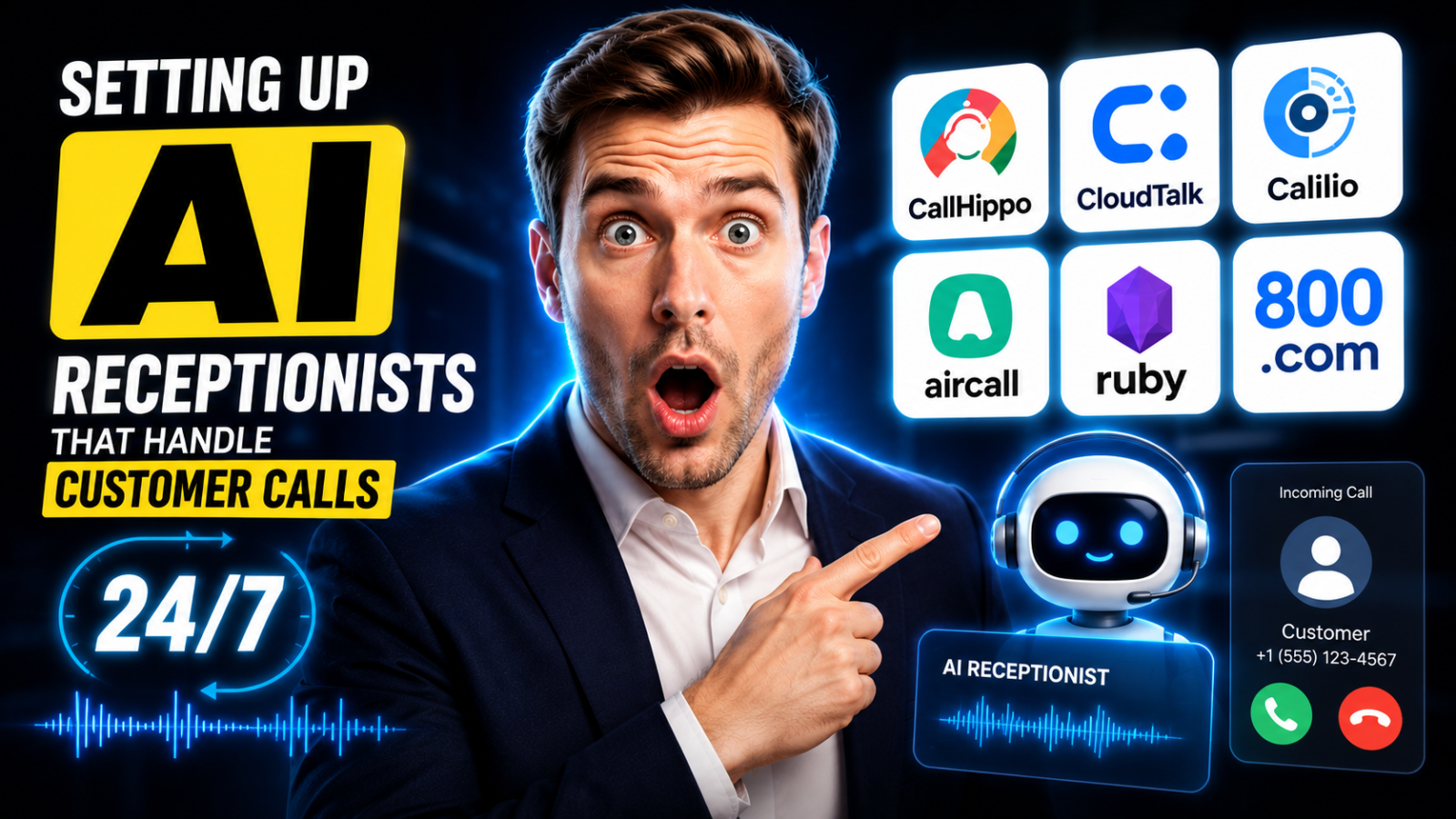
How to replace your front desk — or cover the hours no one else can — with AI that answers, qualifies, books, and routes every call automatically.
Right now, while your business is closed, someone is trying to reach you.
Industry research shows small businesses miss 60–80% of inbound calls. For a contractor missing quote requests on $10,000 jobs, that’s a quarter million dollars in lost revenue every year to voicemail. For a medical practice, it’s missed appointments and patients calling a competitor. For a law firm, it’s potential clients who won’t call back.
A full-time human receptionist costs $35,000–$50,000 per year in salary alone, plus benefits, training, and management time — and still only works 40 hours per week. An AI receptionist costs $29–$500 per month, works 168 hours per week, never takes sick days, and handles multiple calls simultaneously.
The ROI case is clear. The implementation question is which platform to choose — and this guide answers that.
Our top pick for most small businesses is CallHippo — for its purpose-built AI Receptionist that handles call answering, lead qualification, appointment booking, and intelligent routing out of the box at an accessible price.
Quick Comparison: Best AI Receptionist Platforms
| Platform | Best For | Starting Price | 24/7 Coverage | Appointment Booking |
|---|---|---|---|---|
| CallHippo | Sales + service businesses wanting full AI receptionist | Custom | ✅ | ✅ |
| CloudTalk | Teams wanting AI receptionist inside a full phone system | $25/user/mo | ✅ | ✅ |
| Calilio | Small businesses wanting budget AI call handling | $15/user/mo | ✅ | ✅ |
| Aircall | Businesses needing AI receptionist + 200+ integrations | $30/license/mo | ✅ | ✅ |
| Ruby | Professional services wanting AI + human backup | From $235/mo | ✅ | ✅ |
| 800.com | Simple businesses needing toll-free AI answering | From $25/mo | ✅ | Limited |
What an AI Receptionist Can (and Can’t) Do
Modern AI receptionists go far beyond the frustrating phone trees of the past. They conduct genuine conversations using natural language processing — listening, interpreting, and responding contextually rather than asking callers to press 1 for sales.
What a 2025 AI receptionist handles autonomously:
- Answering inbound calls within seconds, 24/7
- Greeting callers professionally with your brand’s tone and voice
- Answering FAQs: hours, location, pricing, services, availability
- Qualifying leads by asking screening questions (budget, timeline, project type)
- Booking appointments directly into your Google or Outlook calendar
- Routing calls to the right team member based on caller intent
- Detecting urgency or emergency keywords and escalating immediately
- Taking detailed messages and sending them via SMS/email
- Handling multiple simultaneous calls with zero wait time
Where human receptionists still add irreplaceable value:
- High-stakes emotional conversations (grieving patients, upset clients, crisis situations)
- Complex multi-topic inquiries requiring real-time problem-solving
- High-touch professional services where relationship building starts at hello
- Industries with strict regulatory requirements (healthcare, legal) that require human judgment
Most businesses implement AI for the 80% of calls that are routine, and route the complex 20% to a human immediately. That split is where the ROI compounds.
The 6 Best AI Receptionist Platforms Reviewed
Best Overall: Purpose-Built AI Receptionist
CallHippo AI Receptionist
An always-on receptionist that qualifies leads, books appointments, and routes intelligently
Reasons to buy:
- Handles 100% of inbound calls instantly, reducing wait times to zero
- Qualifies leads and prioritizes high-value prospects before routing to a human
- Customizable scripts match your brand’s tone exactly
- Integrates with all major CRM and calendar tools via the CallHippo App Marketplace
Reasons to avoid:
- Custom pricing means no transparent rate card — requires a sales call for quotes
- AI depth on edge-case calls can vary without thorough upfront training
- Best results require dedicated setup time to customize scripts and routing logic
Features:
- 24/7 autonomous call answering with zero wait time
- Natural language processing for two-way conversational AI
- Lead qualification and priority scoring
- Appointment scheduling integrated with your calendar
- Intelligent call routing by intent, department, and urgency
- Sentiment detection for escalation
- Multi-language support
- Full integration with CRM tools
At a glance
CallHippo’s AI Receptionist is built explicitly for the use case this article covers: replacing the front-desk function for businesses that can’t staff 24/7 but can’t afford to miss calls. Unlike generic VoIP platforms with an AI layer bolted on, CallHippo’s receptionist is a core product — designed from the ground up to handle the full inbound call workflow.
The lead qualification engine is the standout feature. Most AI receptionists answer, take a message, and hang up. CallHippo’s actively filters callers — asking qualifying questions, identifying high-value prospects, and routing them accordingly. Your best leads get a faster path to a human. Tire-kickers get answered professionally without consuming rep time.
Per CallHippo’s data, the AI handles hundreds of repetitive call tasks per day — the kind that previously ate 2–4 hours of a human agent’s time — at a fraction of the cost and with no quality variation based on how busy the day is.
Pricing
Custom pricing based on call volume and required features. Contact CallHippo for a quote and demo. Free trial available.
Verdict
CallHippo’s AI Receptionist is the best purpose-built option for service businesses, retail operations, healthcare practices, and real estate agencies that need a full front-desk replacement at a price that makes sense. The lack of transparent pricing is a drawback — but the free demo makes evaluation straightforward.
Best AI Receptionist Inside a Full Phone System
CloudTalk CeTe AI Agents
An AI receptionist embedded in the best-rated cloud phone system for SMBs
Reasons to buy:
- CeTe AI agents conduct natural conversations in 60+ languages — ideal for diverse customer bases
- Handles both inbound AI reception and full VoIP phone system in one platform
- 100+ integrations with CRM, helpdesk, and scheduling tools
- Number reputation management prevents calls from being labeled as spam
Reasons to avoid:
- AI conversation intelligence is a paid add-on on most plans
- Higher starting cost than standalone AI receptionist services
- More complexity than some small businesses need
Features:
- CeTe AI voice agents: 60+ languages, real-time CRM personalization
- Intelligent call routing and queuing
- 24/7 inbound call handling
- Appointment scheduling integration
- Real-time dashboards and call analytics
- Visual call flow designer
At a glance
The difference between CloudTalk and a pure AI receptionist service is that CloudTalk gives you both: a full VoIP phone system with CRM integration, team calling, outbound dialing, and analytics — plus AI agents that handle your front-desk calls when humans aren’t available.
For businesses that want one platform for everything — not a dedicated AI receptionist service layered on top of a separate phone system — CloudTalk delivers both in a single subscription. The CeTe AI agents pull live CRM data mid-call, so returning customers are greeted by name and routed based on account history. That level of personalization is practically impossible with traditional IVR or even most standalone AI services.
Pricing
| Plan | Annual Price |
|---|---|
| Starter | $25/user/mo |
| Essential | $29/user/mo |
| Expert | $49/user/mo + AI add-on |
Verdict
CloudTalk is the right choice if you want a full phone infrastructure upgrade alongside your AI receptionist capability. It’s a higher investment than a standalone AI service, but delivers significantly more value across the business — call analytics, outbound tools, CRM sync, and AI front-desk coverage all in one.
Try CloudTalk free for 14 days →
Best Budget AI Receptionist
Calilio
Affordable 24/7 AI call handling with built-in reporting at the lowest price point
Reasons to buy:
- Starting at $15/user/month — most affordable option in this comparison
- AI call reports (transcription, sentiment, outcome) included in base plan
- Number sharing so multiple team members share a single business line
- Virtual numbers in 100+ countries
Reasons to avoid:
- Smaller platform with less market validation
- Fewer advanced workflow integrations than CallHippo or CloudTalk
- AI sophistication less mature than category leaders
Features:
- 24/7 call answering with AI handling
- AI-generated call reports: transcript, summary, sentiment analysis
- IVR routing and call forwarding
- Number sharing across team members
- Call recording and monitoring
- CRM integration
At a glance
Calilio’s value story is simple: AI-powered call handling and reporting for $15/user/month with no hidden costs. The features that justify the investment are built in from the start — no need to pay for an AI add-on or upgrade to an expensive tier to get call summaries and sentiment analysis.
For a small business owner who handles calls personally and wants AI to summarize and log each one automatically, Calilio removes that admin burden completely. After every call, the AI report lands in the dashboard with everything relevant captured — conversation topic, customer sentiment, outcome, action items — without the owner lifting a finger.
Pricing
| Plan | Price |
|---|---|
| Basic | $15/user/mo (annual) |
| Pro | From $25/user/mo |
Verdict
Calilio is the best entry point for businesses of 1–10 people that need professional 24/7 call coverage and AI reporting without the budget for premium platforms. It covers the fundamentals well. For more advanced qualification, routing logic, or high call volumes, step up to CallHippo or CloudTalk.
Best for Teams Needing Deep Integrations
Aircall
AI receptionist capabilities inside the most integration-rich phone platform
Reasons to buy:
- 200+ native integrations ensure AI receptionist data flows everywhere it needs to
- AI Voice Agent handles inbound calls with natural, human-like conversation
- Trusted by 15,000+ businesses with strong G2 ratings
- Legal, healthcare, and compliance use cases handled cleanly with right configuration
Reasons to avoid:
- 3-license minimum means $90/month floor even for solo users
- AI Voice Agent features require Professional plan or higher
- Some users report call quality inconsistencies
Features:
- AI Voice Agent for autonomous inbound handling
- 200+ integrations with CRM, helpdesk, and scheduling tools
- Call routing, recording, and transcription
- Real-time call monitoring and coaching
- Voicemail Drop and Power Dialer (Professional plan)
At a glance
Aircall’s AI Voice Agent stands out for professional services firms — law offices, medical practices, financial advisories — where call data needs to flow seamlessly into multiple downstream systems simultaneously. When a prospect calls and gets qualified by the AI, that qualification data automatically populates Salesforce, creates a HubSpot contact, schedules a Calendly appointment, and triggers a Slack notification to the rep — all without human involvement.
According to Aircall’s own published data, their customers in legal services particularly benefit from the platform’s intake routing capabilities and CRM logging. Combined with the AI Voice Agent’s natural conversation quality, the result is a front-desk experience that reflects well on the brand.
Pricing
| Plan | Annual Price (per license) |
|---|---|
| Essentials | $30 |
| Professional | $50 |
| Custom | Quote (min. 25 licenses) |
Verdict
Aircall is the right AI receptionist choice for professional services businesses (legal, medical, financial, consulting) where the quality of the first call experience matters and where call data needs to integrate with multiple existing software tools.
Best for Professional Services Wanting Human Backup
Ruby
AI-assisted virtual receptionist with a human fallback for high-stakes calls
Reasons to buy:
- Hybrid model: AI handles volume, human receptionists handle complex calls
- Well-established brand in professional services (law, healthcare, consulting)
- 24/7 live human backup for calls the AI can’t resolve
- Strong reputation for call quality and professionalism
Reasons to avoid:
- Significantly more expensive than pure AI platforms ($235–$700+/month)
- Per-minute overage fees can make real costs unpredictable
- Primarily designed for US-based businesses
Features:
- 24/7 AI and human-hybrid call answering
- Appointment scheduling and lead capture
- Message delivery via email or SMS
- CRM integration
- Bilingual support (English/Spanish)
At a glance
Ruby has served professional services firms for years as a live virtual receptionist service. More recently, AI has been layered in to handle routine inquiry volume, with human receptionists stepping in for complex calls that require empathy, nuance, or live problem-solving.
For businesses where the first impression of every caller matters enormously — boutique law firms, premium healthcare practices, high-end consulting — Ruby’s hybrid model offers a middle ground between the cost savings of pure AI and the relationship quality of human answering. Live answering services like Ruby typically cost $500–800/month for 100 calls, compared to $199–$500/month for comparable AI-only services. The premium buys you the human backup.
Pricing
| Plan | Price | Minutes Included |
|---|---|---|
| Ruby 100 | ~$235/mo | 100 receptionist minutes |
| Ruby 200 | ~$375/mo | 200 receptionist minutes |
| Ruby 500 | ~$700+/mo | 500 receptionist minutes |
Per-minute overages apply beyond included minutes.
Verdict
Ruby is best suited for established professional services businesses where brand reputation is paramount and where some calls genuinely require human handling. For most small businesses on a budget, a pure AI platform like CallHippo or Calilio delivers comparable front-desk results at a fraction of the cost.
Best for Simple Businesses Needing Toll-Free Coverage
800.com
Toll-free numbers, basic AI answering, and simple routing at a low monthly cost
Reasons to buy:
- Very affordable starting point at $25/month
- Includes a professional toll-free number (creates instant credibility for small businesses)
- Basic call routing and voicemail-to-email
- Simple to set up with no technical skills required
Reasons to avoid:
- Limited AI sophistication compared to dedicated AI receptionists
- Less suitable for high call volumes or complex qualification workflows
- Fewer integrations with business tools
Features:
- Toll-free and vanity numbers
- Basic call routing and forwarding
- Voicemail transcription and email delivery
- Auto-attendant (basic IVR)
- Call recording
Pricing
| Plan | Price |
|---|---|
| Basic | From $25/mo |
| Pro | From $45/mo |
Verdict
800.com is best for home-based businesses, early-stage startups, and sole traders who need a professional phone presence with basic call handling — but don’t yet need the AI sophistication of CallHippo or CloudTalk. The toll-free number alone provides instant credibility, and voicemail transcription ensures no message gets missed.
Setting Up Your AI Receptionist: A Practical Implementation Plan
Week 1: Plan Your Call Flows
Spend time upfront mapping exactly how you want calls handled. Answer these questions:
- What are the 10 most common questions callers ask?
- What qualifies a lead as worth routing to a human immediately?
- What are your business hours, and what should happen after hours?
- Do you have emergency call types that need immediate escalation?
- Which calendar system should appointments book into?
This planning is what separates AI receptionists that work beautifully from ones that frustrate callers with irrelevant responses. Modern AI achieves 85–95% accuracy on routine inquiries when trained on business-specific information — but accuracy depends entirely on how well you train the system upfront.
Week 1–2: Configure and Test
Build your call flows in the platform’s visual designer:
- Welcome script — Brand-consistent greeting that sets expectations
- FAQ responses — Load your 10 most common questions with accurate answers
- Qualification questions — The 2–3 questions that identify a high-value prospect
- Routing logic — Which answers trigger human transfer vs. AI handling vs. callback
- Emergency routing — Specific keywords that escalate immediately to your mobile
- After-hours handling — Message recording, callback scheduling, or AI continues
Test extensively before going live. Call the number from multiple devices, run through every scenario, and check that transfers, bookings, and messages work exactly as configured.
Week 2: Soft Launch and Monitor
Start with a limited rollout — perhaps after-hours only or overflow only — and monitor call recordings for the first week. You’ll identify gaps in your FAQ responses, routing logic errors, and edge cases your initial setup didn’t account for. Most businesses need 2–3 rounds of refinement before the AI handles calls the way you want.
Month 2+: Scale and Optimize
Once the AI is performing consistently:
- Expand to full inbound coverage (including business hours)
- Add integrations with your CRM and calendar if not already in place
- Review AI performance metrics monthly: call resolution rate, escalation rate, customer satisfaction signals
- Update the FAQ database as new questions emerge
Measuring Success
Key metrics to track monthly:
| Metric | Target |
|---|---|
| Call answer rate | 99%+ (vs. 20–40% without AI) |
| AI resolution rate (no human needed) | 70–85% |
| Appointment booking from calls | Track vs. baseline |
| Missed call rate | Under 2% |
| Customer satisfaction (from follow-up) | 85%+ positive |
Frequently Asked Questions
Will callers know they’re talking to AI?
Modern AI voices are increasingly natural. Some businesses disclose the AI upfront for transparency; others don’t. Rules vary by jurisdiction — some US states (including California) require disclosure that a caller is interacting with AI. Check your local regulations before configuring your system.
Can an AI receptionist book appointments on my behalf?
Yes. CallHippo, CloudTalk, and Aircall all integrate with Google Calendar, Outlook, Calendly, and other scheduling tools. When a caller requests an appointment, the AI checks real-time availability and books directly. Both parties receive a confirmation automatically.
What happens when the AI can’t handle a call?
All platforms have escalation paths. You configure what triggers a transfer to a human — specific keywords, caller request, unanswerable questions, or detected frustration. The call transfers to your mobile or a team member with context about the conversation so far. Nothing is lost.
Is my call data private and secure?
Reputable platforms encrypt call recordings, transcripts, and personal data in transit and at rest. Healthcare businesses should verify HIPAA compliance (Aircall and CallHippo offer HIPAA-eligible configurations; standalone services like Ruby also offer HIPAA-compliant options). Always review the platform’s data processing agreement before going live.
How much does setup take?
For simple configurations: 1–4 hours from account creation to live. For complex multi-department businesses with custom scripts, CRM integration, and calendar booking: 1–3 days. All platforms in this guide offer onboarding support. CallHippo and CloudTalk both provide dedicated setup assistance on most plans.
What’s the ROI calculation I should use?
Use this formula: Monthly ROI = (Missed calls captured × Average customer value) + (Admin hours saved × hourly rate) − Monthly platform cost
Example: Capturing 10 additional calls per month at $500 average value = $5,000 revenue. Admin hours saved (2 hrs/day × 22 workdays × $25/hr) = $1,100. Platform cost: $200. Monthly ROI: $5,900. The system pays for itself in the first week.
Disclosure: Some links in this article are affiliate links. We may earn a commission at no extra cost to you if you purchase through them.




Related Articles

Best AI-Powered Call Analytics: Understanding Every Conversation
How to implement AI call analysis that turns phone conversations into actionable...
Best AI Phone Systems for Small Business: Complete Implementation Guide
How to choose, set up, and get ROI from an AI-powered phone...
Cold Email Automation With AI: Setting Up Campaigns That Actually Convert
A practical guide to building AI-powered cold email campaigns that reach the...


Setting Up AI Voice Agents for Automated Lead Qualification
How to implement 24/7 AI phone agents that qualify prospects, handle objections,...

Leave a comment