




Cold Email Automation With AI: Setting Up Campaigns That Actually Convert
 Eldad Gaih7 May 202611 Mins read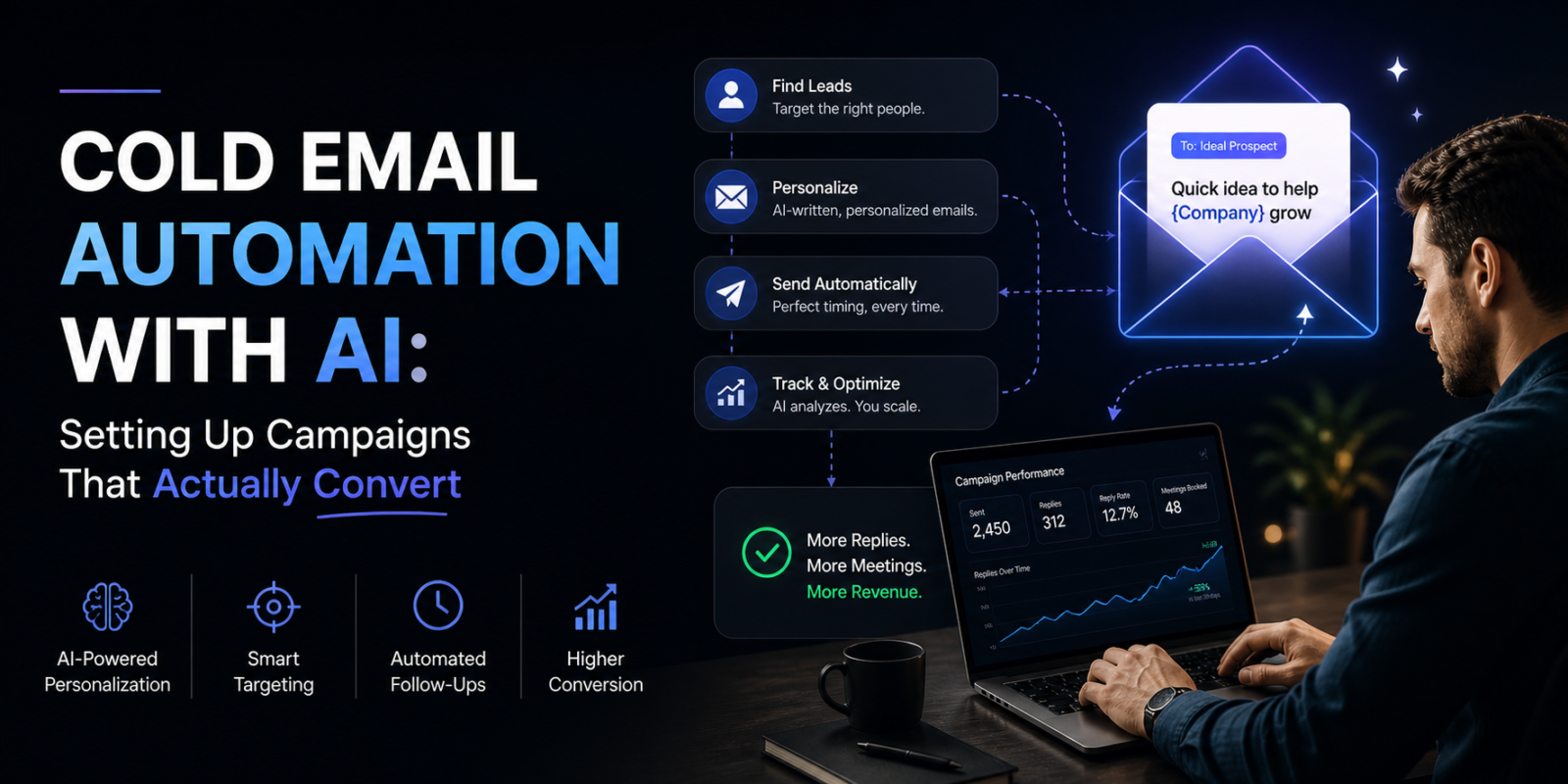
A practical guide to building AI-powered cold email campaigns that reach the inbox, earn replies, and generate real pipeline.
Cold email still works. In fact, according to McKinsey, email is 40x more effective at acquiring customers than social media. But the rules have changed. What worked three years ago — buying a list, loading a generic template, and blasting thousands of contacts — now reliably ends in spam folders, damaged domain reputation, and zero replies.
The businesses generating consistent pipeline from cold email in 2025 are doing three things differently: they’re using AI to personalize at scale, they’re treating deliverability as a system (not an afterthought), and they’re running tests continuously instead of setting and forgetting campaigns.
This guide shows you exactly how to build that kind of system, and which tools to use at each stage.
Our top pick for cold email automation is Instantly — for its unlimited email accounts on every plan, industry-leading deliverability infrastructure, and AI Copilot that handles personalization at scale without proportional manual effort.
Quick Comparison: Best Cold Email Automation Tools of 2026
| Tool | Best For | Starting Price | Email Accounts | Free Trial |
|---|---|---|---|---|
| Instantly | High-volume cold email at scale | $37/mo | Unlimited | ✅ 14 days |
| lemlist | Creative personalization + multichannel | $69/user/mo | 5 per plan | ✅ 14 days |
| Reply.io | Multichannel outreach beyond email | $49/user/mo | Unlimited | ✅ 14 days |
| Smartreach | Multichannel with shared inbox | From $29/user/mo | Unlimited | ✅ 14 days |
| Amplemarket | All-in-one with intent signals | $600/mo | Included | ✅ |
| Closely | LinkedIn + email sequences | From $49/mo | Included | ✅ |
Why Most Cold Email Campaigns Fail
Before choosing a tool, understand why cold email fails. The problems are almost always the same:
1. Poor deliverability — Emails landing in spam before anyone reads them. This is a domain reputation problem, not a content problem. Sending from a cold domain or sending too much too fast destroys your sender score within weeks.
2. No real personalization — Inserting {{First Name}} and calling it personalized. Prospects in 2025 receive hundreds of cold emails per week. The ones that get responses are the ones that reference something specific and relevant.
3. Generic offers — Emails that describe features rather than addressing a specific pain your prospect already feels. If a prospect can’t immediately understand why this email is relevant to their current situation, they delete it.
4. No testing — Running one campaign with one subject line, one email body, and one call to action — then wondering why results are poor. Winning cold email is iterative.
5. No follow-up system — Sending one email and stopping. Research from HubSpot shows that 80% of sales require 5+ follow-up touchpoints. One email is not a campaign.
AI tools address all five problems — but only if you choose the right platform for your volume, target audience, and technical resources.
The 6 Best Cold Email Automation Tools Reviewed
Best Overall: High-Volume Cold Email
Instantly
The most scalable cold email platform for businesses serious about outbound
Reasons to buy:
- Unlimited email accounts and warmup on every plan — including the cheapest
- AI Copilot generates personalized subject lines, bodies, and follow-up sequences
- 450M+ verified contacts in the SuperSearch lead database
- 50,000+ sales teams use it, generating reply rates above 20%
- Website visitor identification to capture and re-engage warm traffic
Reasons to avoid:
- True total cost is higher than $37/month — most teams need $97/month + add-ons
- Deep AI personalization still requires lead research or enrichment data
- DNS and domain setup has a learning curve for non-technical users
Features:
- Unlimited email accounts and warmup on all plans
- AI Copilot for writing and optimizing campaigns
- AI Reply Agent for automated inbox handling
- SuperSearch: 450M+ verified B2B contacts
- Built-in CRM and unified inbox
- Website visitor identification
At a glance
Instantly built its reputation by solving cold email’s most fundamental problem: you can’t scale sending volume without destroying your sender reputation. By allowing unlimited email accounts — not capped by plan level — teams can spread sending across dozens of domains simultaneously, keeping each one well within safe sending limits while the aggregate volume compounds.
One user reported sending 100,000+ emails across 20+ domains with 20%+ reply rates using this multi-domain approach. That’s not achievable with a tool that limits email accounts per plan.
The deliverability infrastructure runs deep: automated warmup on every account, blacklist monitoring, inbox placement testing, and SISR (Server and IP Sharding and Rotation) on the Light Speed plan for teams running extreme volume. Cold email deliverability is a system, not a setting — and Instantly treats it that way.
The AI Copilot handles campaign creation: it generates subject line variants, email body copy, and follow-up sequences from simple inputs about your offer and ICP. The AI Reply Agent goes further, automatically triaging incoming responses, categorizing intent, and handling simple replies — so your reps only see conversations that need human attention.
Pricing
| Plan | Monthly | Annual | Emails/Mo |
|---|---|---|---|
| Growth | $37 | $30 | 10,000 |
| Hypergrowth | $97 | $77.60 | 100,000 |
| Light Speed | $358 | ~$286 | 500,000 |
SuperSearch lead database and CRM are priced separately as add-ons.
Verdict
Instantly is the foundation of any serious cold email operation. Start with the Hypergrowth plan at $97/month, add SuperSearch credits when you need lead data, and use the AI Copilot to reduce the manual writing burden. For agencies managing multiple clients, the unlimited account model is especially compelling.
Start a free 14-day Instantly trial →
Best for Creative Personalization
lemlist
The tool that turns cold emails into something people actually remember
Reasons to buy:
- Dynamic image and video personalization in emails — proven to lift reply rates
- Full multichannel sequences: email, LinkedIn, and calls from one platform
- Built-in email warm-up (Lemwarm) included with paid plans
- 14-day free trial on all paid plans
Reasons to avoid:
- Per-user pricing becomes expensive for larger teams (50 reps = ~$4,000/month)
- Lead finder credits don’t roll over — unused credits are lost each month
- Limited to 5 email accounts on base plan without add-ons
- Not ideal for raw high-volume sending
Features:
- Dynamic images and personalized video in emails
- Multichannel sequences: email, LinkedIn, calls, WhatsApp
- Built-in B2B lead database with email finder
- Lemwarm email warmup tool
- A/B testing across sequences
- Agency mode for managing multiple clients
At a glance
lemlist was founded in 2018 with one differentiated idea: personalized images in cold emails. When a prospect opens an email and sees a screenshot of their own LinkedIn profile, their company’s homepage, or their name written on a whiteboard — they engage. The pattern interrupt is real, and the reply rate lift has been documented consistently across user campaigns.
That core innovation has expanded into a full multichannel outreach platform. Teams can now run coordinated sequences across email, LinkedIn, cold calls, and WhatsApp — all within one campaign workflow, with shared contact data and unified analytics.
The AI writing assistant generates personalized email copy based on prospect data you feed it: company description, recent news, job posting signals, or LinkedIn activity. The output is notably more contextual than generic AI templates, because lemlist’s AI is trained specifically on cold outreach data rather than general writing.
Pricing
| Plan | Monthly | Annual |
|---|---|---|
| Email Pro | $69/user | $55/user |
| Multichannel Expert | $99/user | $79/user |
| Enterprise | Custom | Custom |
Free plan available (very limited — cannot send emails). 14-day free trial on paid plans.
Verdict
lemlist is the right choice for businesses where personalization quality is the competitive differentiator — professional services, consulting, high-value B2B products, and agencies that need their outreach to stand out in crowded inboxes. For raw volume, Instantly is a better fit. For creative impact, lemlist wins.
Try lemlist free for 14 days →
Best for Multichannel Beyond Email
Reply.io
Email plus LinkedIn plus calls plus SMS — genuinely multichannel at a mid-market price
Reasons to buy:
- Covers email, LinkedIn, phone, SMS, and WhatsApp from one platform
- Jason AI SDR handles fully autonomous outreach across all channels
- 1 billion B2B contacts in live data search
- Unlimited emails on all paid plans
Reasons to avoid:
- LinkedIn and call/SMS automation priced as add-ons — real cost higher than base price
- Can feel complex for users new to multichannel outreach
- Performance depends heavily on which plan and add-ons you choose
Features:
- Multichannel sequences: email, LinkedIn, calls, SMS, WhatsApp
- Jason AI SDR for autonomous outbound
- Anti-spam and deliverability suite
- A/B testing and sequence analytics
- CRM integrations: Salesforce, HubSpot, Pipedrive
- 14-day free trial on all plans
At a glance
Reply.io’s core value proposition is multichannel at an accessible price. Where enterprise platforms charge $150+ per user for coordinated email-LinkedIn-phone sequences, Reply.io delivers from $89/user/month on the Multichannel plan — a meaningful difference for lean teams.
The deliverability suite is genuinely strong: email warmup, anti-spam analysis, bounce detection, and sender reputation monitoring are all included on paid plans. Combined with unlimited email accounts on higher tiers and Jason’s AI outreach capabilities, Reply.io functions as a self-contained outbound system.
For teams specifically focused on cold email, the Email Volume plan at $49/user/month delivers unlimited email sending and warmup — competitive with Instantly at comparable price points, with the option to upgrade to full multichannel when ready.
Pricing
| Plan | Annual Price | Key Channels |
|---|---|---|
| Email Volume | $49/user/mo | Email only |
| Multichannel | $89/user/mo | Email + LinkedIn + Calls (add-ons) |
| Jason AI SDR | $259/mo | Full autonomous outreach |
| Agency | $166/mo | Unlimited clients + users |
LinkedIn and call automation require additional per-account fees beyond base plan pricing.
Verdict
Reply.io is the best upgrade path from email-only to full multichannel. If you’re running cold email on Instantly or a simpler tool and want to add LinkedIn and phone coordination without switching to an enterprise platform, Reply.io is the natural next step. Start with the free trial to map which plan covers your actual channel mix.
Start a 14-day Reply.io trial →
Best for Teams Wanting a Shared Inbox + Multichannel
Smartreach
Full multichannel outreach with a shared inbox that keeps the whole team aligned
Reasons to buy:
- Shared inbox shows reply sentiment and lead allocation across the team
- Multichannel from the entry plan: email, LinkedIn, WhatsApp, calling, SMS
- AI content generation for sequences and emails
- Competitive pricing with unlimited email campaigns
Reasons to avoid:
- Less brand recognition than category leaders
- Setup and onboarding can be complex for first-time users
- Customer support response times vary
Features:
- Unlimited multichannel campaigns (email, LinkedIn, WhatsApp, SMS, calling)
- Shared inbox with reply sentiments and lead allocation
- AI-powered email writing and personalization
- Email validation and deliverability suite
- A/B testing
- Integrations: HubSpot, Pipedrive, Zoho, Salesforce
At a glance
Smartreach’s differentiator is the shared inbox — a unified view of all replies across all team members and all channels, with sentiment tagging and lead allocation built in. For sales teams of 3+ people running coordinated outreach, this visibility is often the missing piece that prevents leads from falling through cracks when a rep is unavailable.
The multichannel coverage on even the entry plan is broader than most competitors. Email, LinkedIn, WhatsApp, calling, and SMS are all available without upgrading to expensive enterprise tiers. Combined with the shared inbox, Smartreach functions well as a team outreach hub rather than an individual productivity tool.
Pricing
| Plan | Annual Price |
|---|---|
| From $29/user/mo | |
| Multichannel | From $49/user/mo |
| Agency | Custom |
Verdict
Smartreach is particularly strong for small sales teams (3–15 reps) that need coordinated multichannel outreach and shared visibility into pipeline without the per-seat cost of enterprise platforms. The shared inbox alone makes it worth evaluating against simpler email-only tools if your team struggles with reply coordination.
Best for All-In-One with Intent Signals
Amplemarket
Cold email that reaches prospects at the exact moment they’re ready to engage
Reasons to buy:
- Intent signals (funding, hiring, competitor activity) trigger outreach automatically
- Duo AI Copilot drafts personalized sequences from live signal data
- 300M+ business profiles with real-time contact data
- One platform for prospecting, sequencing, deliverability, and CRM sync
Reasons to avoid:
- Annual contracts only — no monthly flexibility
- Starting price of $600/month makes it inaccessible for solo operators
- Redundant for teams already running Instantly or Reply.io for sequences
Features:
- Duo AI Copilot for signal-based outreach automation
- Omnichannel sequences: email, LinkedIn, phone
- 300M+ contact database with buying intent data
- Deliverability optimization network
- WhatsApp and iMessage outreach (added late 2025)
- Native Salesforce and HubSpot integration
At a glance
Amplemarket approaches cold email from the opposite direction of volume tools like Instantly. Rather than maximizing the number of emails sent, it maximizes the relevance of each message by waiting for a signal that a prospect is ready to engage — then triggering outreach automatically.
When a target account starts hiring for a role that signals expansion into your market, Amplemarket detects it and builds a personalized sequence around that specific context. When a competitor’s customer publicly complains on LinkedIn, Duo surfaces the signal and drafts an email that addresses their pain directly. This level of relevance generates reply rates that generic cold email can’t match.
Pricing
| Plan | Price | Users |
|---|---|---|
| Startup | $600/mo (annual) | 2 users |
| Growth | Custom | 4+ users |
| Elite | Custom | 10+ users |
Verdict
Amplemarket is the premium option in cold email — best for B2B sales teams with average deal values above $10,000 who want outreach to feel one-to-one even when running at scale. The annual commitment is a meaningful barrier for smaller businesses, but for the right team the ROI is clear.
Learn more about Amplemarket →
Best for LinkedIn + Email Combined
Closely
Automates LinkedIn outreach alongside email for a two-channel approach at low cost
Reasons to buy:
- Combines email and LinkedIn sequences in one workflow
- Safe LinkedIn automation that manages daily limits
- Much more affordable than full-stack platforms
- Good fit for B2B niches where LinkedIn is the primary prospecting channel
Reasons to avoid:
- Less powerful email deliverability tools than dedicated email platforms
- Not suitable for high-volume email-only operations
- Smaller feature set than all-in-one competitors
Features:
- LinkedIn + email combined sequences
- Connection request and message automation
- Lead search with advanced filters
- Campaign analytics and A/B testing
- CRM integration
Pricing
| Plan | Price |
|---|---|
| Starter | From $49/mo |
| Pro | Custom |
Verdict
Closely works best as the LinkedIn layer in a two-tool stack: Instantly for email volume, Closely for LinkedIn sequences. Together, they cover the two highest-performing cold outreach channels at a fraction of the cost of all-in-one platforms.
Step-by-Step: Setting Up a Cold Email Campaign That Converts
Step 1: Domain Setup and Warmup (Week 1–2)
This is the step most businesses skip — and the reason most campaigns fail. Google’s email sender guidelines are explicit: sending bulk email from a new domain without warmup destroys deliverability.
The correct approach:
- Buy 2–3 domains per 30 emails/day you want to send (e.g., your-company-email.com alongside yourcompany.com)
- Set up SPF, DKIM, and DMARC records on every domain
- Use your tool’s warmup feature (Instantly, lemlist, and Reply.io all include this) for 2–4 weeks before sending
- Start at 10–15 emails/day per mailbox, increasing by 10 each week
Step 2: Build a Targeted Lead List
Generic lists generate generic results. Research from industry data consistently shows that tighter targeting drives higher conversion even at lower volume.
Sources for verified leads:
- Instantly SuperSearch — 450M+ contacts with waterfall enrichment
- Apollo.io — 275M+ contacts with strong filtering
- LinkedIn Sales Navigator — Best for role-based targeting
- lemlist lead finder — Built-in, integrates directly with campaigns
Target 200–500 highly relevant contacts rather than 5,000 loosely matched ones. Response rates are 3–5x higher on targeted lists.
Step 3: Write the First Email
The anatomy of a cold email that converts:
Subject line: Specific, not clever. Reference the prospect’s company, role, or a current event. Avoid: “Quick question” (overused). Try: “[Company] + [Your solution’s outcome]”
Opening line: Reference something specific about them — not generic. Use AI enrichment data for this. “Saw you’re scaling your [team/product/market] — congrats on [specific achievement].”
The problem statement: One sentence on the pain you solve. Make it about them, not about you.
The offer: What you’re proposing, specifically. Not “I’d love to connect” — “A 20-minute call to show you how [Company A] reduced [metric] by [X%].”
CTA: One clear next step. A yes/no question or a specific time. “Does Thursday at 2pm work?”
AI tools (Instantly Copilot, lemlist, Reply.io Jason) generate variations of this framework automatically — but the underlying logic applies regardless of the tool.
Step 4: Build a 4-Step Follow-Up Sequence
Per HubSpot’s sales data, 80% of closed deals require 5+ touchpoints. Your sequence needs to keep the thread alive:
- Email 1 (Day 0): Personalized first touch
- Email 2 (Day 4): Add value — case study, relevant stat, or insight
- Email 3 (Day 9): Different angle — address a different pain point
- Email 4 (Day 15): Break-up email — short and direct: “Happy to reach out again if timing changes.”
All major platforms automate this entire sequence. You write the templates once; the AI personalizes and sends them on schedule.
Step 5: Monitor KPIs and Optimize
Target benchmarks for a healthy cold email campaign:
| Metric | Warning Zone | Target Zone |
|---|---|---|
| Open rate | Below 30% | 40–60% |
| Reply rate | Below 3% | 5–10% |
| Positive reply rate | Below 1% | 2–4% |
| Bounce rate | Above 5% | Below 2% |
| Spam complaint rate | Above 0.3% | Below 0.1% |
If open rates are low → fix subject lines and sender reputation If reply rates are low → fix the offer and personalization If bounce rates are high → clean your list with ZeroBounce or NeverBounce before sending
Frequently Asked Questions
How many cold emails can I send per day without hurting deliverability?
The standard safe limit is 30–50 emails per mailbox per day. With 5 warmed-up mailboxes on 5 different domains, you can safely send 150–250 emails per day. Scale by adding mailboxes and domains, not by pushing individual mailbox limits. Instantly’s unlimited accounts model is specifically designed for this approach.
Do I need to disclose that my emails are AI-generated?
No — there’s no legal requirement in most jurisdictions to disclose AI authorship of email copy. The legal requirements (CAN-SPAM, GDPR) relate to opt-out mechanisms, accurate sender information, and legitimate interest for contact — not to who (or what) wrote the email.
How long before I see results?
With proper domain warmup (2–4 weeks) and a targeted list, most teams see replies within the first week of active sending. Consistent meeting volume typically builds over 4–8 weeks as you refine targeting and messaging based on early data.
What’s the most common mistake with AI-generated cold email copy?
Over-reliance on AI without a specific data input. Generic prompts produce generic copy. The teams getting the best results feed their AI tools specific prospect data — company signals, job postings, LinkedIn activity, recent news — and let the AI synthesize it into contextually relevant messages. Tools like AiSDR and lemlist’s AI writer are specifically designed for this data-in, personalization-out workflow.
Should I use one email platform or build a stack?
Start with one platform to understand the fundamentals. Once you’re running consistently, consider adding complementary tools: a dedicated enrichment tool (Apollo, ZoomInfo) for lead data, a deliverability monitor (InboxAlly, Warmup Inbox) for sender health, and a LinkedIn tool (Closely) for the second channel. Most advanced teams run Instantly for email volume plus one tool for LinkedIn plus a CRM for pipeline management.
Disclosure: Some links in this article are affiliate links. We may earn a commission at no extra cost to you if you purchase through them.





Related Articles

Setting Up AI Receptionists That Handle Customer Calls 24/7
How to replace your front desk — or cover the hours no...

Best AI Phone Systems for Small Business: Complete Implementation Guide
How to choose, set up, and get ROI from an AI-powered phone...

Setting Up AI Voice Agents for Automated Lead Qualification
How to implement 24/7 AI phone agents that qualify prospects, handle objections,...



How to Build a Fully Automated Outbound Sales System With AI
The tools, the setup, and the exact stack that replaces your manual...

Leave a comment